

When to use it
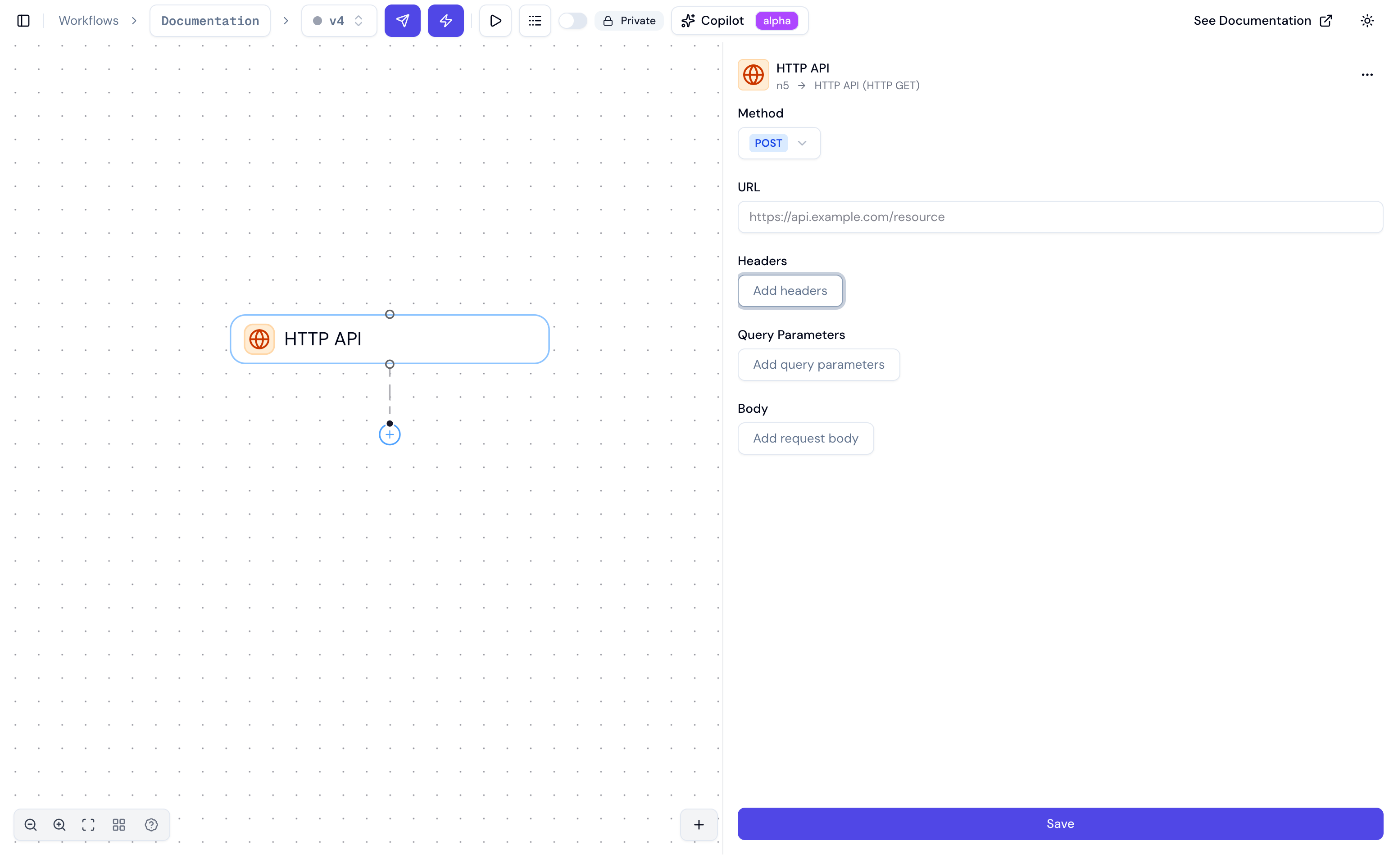
Inspector fields
For
POST, PUT, and PATCH requests, a body editor appears for the request payload, along with a Body Type (JSON, form, or raw) and a Compression selector.
Compression
Compression is applied after the body is built, so it works with every body type.
A
Content-Type or Content-Encoding header you set yourself always wins over the one compression would add. The step’s request log lists the headers as they were sent, including any compression added, while its body stays uncompressed so you can still read what went in.
The two gzip modes differ in what they call the payload, not just in the header they omit. Under Gzip the body is a compressed representation of your JSON or form payload, so it keeps that payload’s Content-Type and Content-Encoding: gzip explains the wrapper. Under Gzip file the gzip bytes are the payload, so the step labels them application/gzip — set your own Content-Type if the destination expects something else.
An empty body is normally omitted entirely, but with compression on a method that carries a body it is sent as a valid empty gzip member (20 bytes) rather than zero bytes. An empty
.gz object loads; an empty file does not, so a nightly export that found no rows still writes something its consumer can read. GET, HEAD and OPTIONS never gain a body this way.What lands in ctx
After the step runs, it adds toctx under the step’s name:
Reference downstream:
Test the request
Use the Test button in the step inspector to run the request on demand — no full workflow run required. The test dialog lets you supply values for the upstream variables the request references, then executes the real request (same SSRF protection, body encoding, and response parsing as production). It shows the evaluated Request and the full Response (status, headers, body, andelapsed_ms) so you can confirm the call is shaped correctly before wiring it into the workflow.
Examples
Authenticated GET with query params
URL:https://api.example.com/contacts
Headers:
POST with a dynamic JSON body
Method:POST
URL: https://api.example.com/tickets
Body: