> ## Documentation Index
> Fetch the complete documentation index at: https://docs.anyreach.ai/llms.txt
> Use this file to discover all available pages before exploring further.
# HTTP API step
> Call any HTTP endpoint from a workflow.
The HTTP API step makes a single HTTP request and captures the response in the workflow context. It's the go-to step for talking to external systems that don't have a dedicated [Action](/workflows/steps/app) integration.
 ## When to use it
| Use HTTP API when | Use Action instead |
| ------------------------------------------ | ----------------------------------------------------------- |
| The API is custom or internal | The integration exists in Pipedream |
| Bearer-token auth is sufficient | You want OAuth managed automatically |
| You need full control over the raw request | The app has complex configuration handled better via Action |
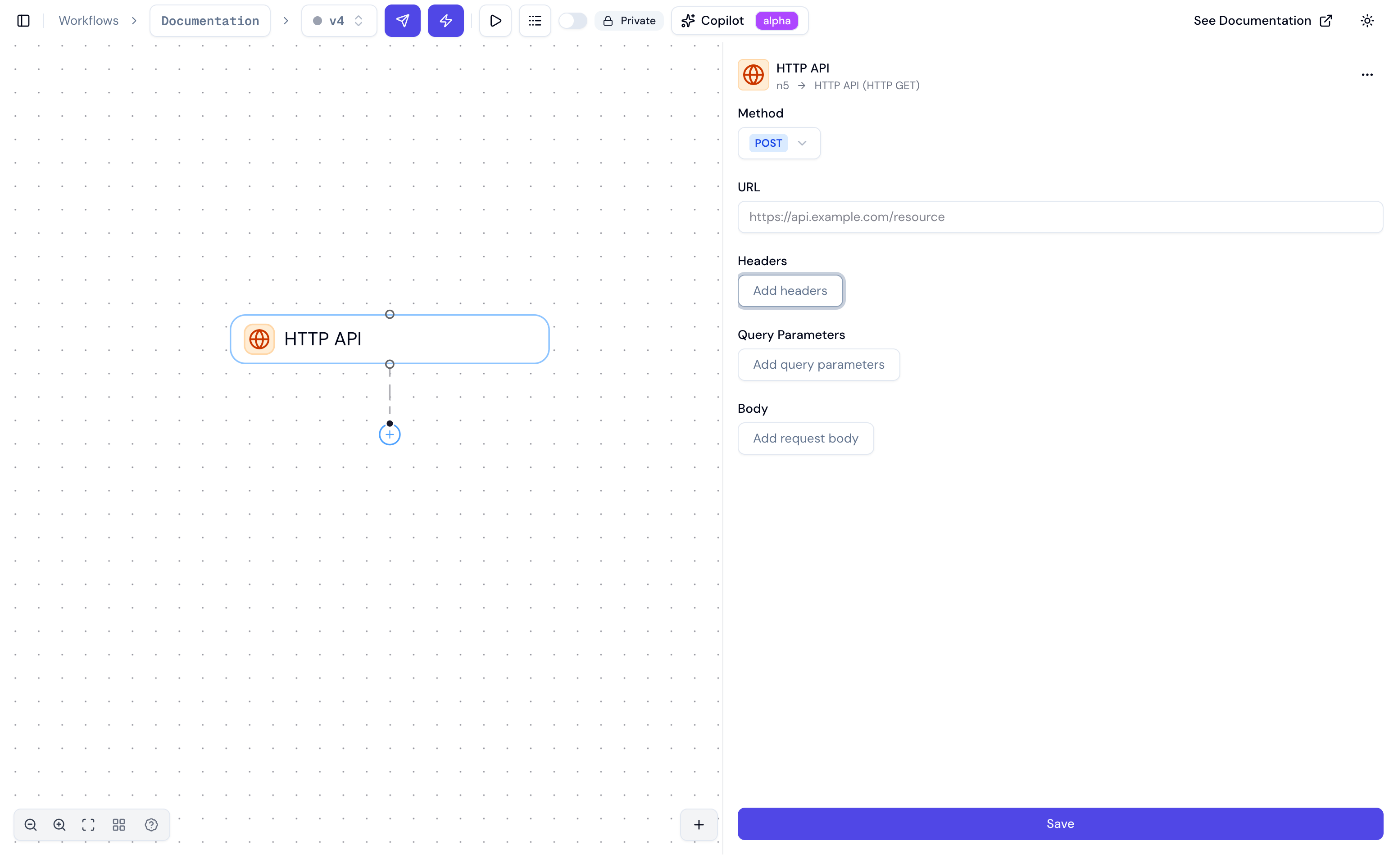
## Inspector fields
| Field | Description |
| ------------------------ | ----------------------------------------------------------------- |
| **Method** | `GET`, `POST`, `PUT`, `PATCH`, `DELETE`, `HEAD`, `OPTIONS` |
| **URL** | Full URL — supports expressions like `{{ ctx.input.contact_id }}` |
| **Add headers** | Key-value pairs for request headers |
| **Add query parameters** | Key-value pairs appended to the URL |
For `POST`, `PUT`, and `PATCH` requests, a body editor appears for the request payload.
## What lands in ctx
After the step runs, it adds to `ctx` under the step's name:
```json theme={null}
{
"n4": {
"status_code": 200,
"headers": { "content-type": "application/json" },
"body": { "id": "c_123", "first_name": "Alice", "tier": "gold" }
}
}
```
Reference downstream:
```
{{ n4.status_code }}
{{ n4.body.first_name }}
```
## Examples
### Authenticated GET with query params
URL: `https://api.example.com/contacts`
Headers:
```
Authorization: Bearer {{ ctx.input.crm_token }}
Accept: application/json
```
Query parameters:
```
email: {{ ctx.input.customer_email }}
```
### POST with a dynamic JSON body
Method: `POST`
URL: `https://api.example.com/tickets`
Body:
```json theme={null}
{
"subject": "Call with {{ n3.contact_name }}",
"duration": "{{ n3.duration }}",
"status": "open"
}
```
### AI-generated request body
```json theme={null}
{
"subject": "${ write a one-line ticket subject for this call: {{ n4.transcript }} }",
"summary": "${ summarize this call in 3 sentences: {{ n4.transcript }} }",
"priority": "${ pick a priority (low|normal|high) for this call: {{ n4.transcript }} }"
}
```
## Limits
| Limit | Value |
| ----------------- | -------------------------------------------- |
| Request timeout | 30 seconds |
| Max response size | 10 MB |
| Blocked addresses | Private IPs, loopback, multicast, link-local |
## When to use it
| Use HTTP API when | Use Action instead |
| ------------------------------------------ | ----------------------------------------------------------- |
| The API is custom or internal | The integration exists in Pipedream |
| Bearer-token auth is sufficient | You want OAuth managed automatically |
| You need full control over the raw request | The app has complex configuration handled better via Action |
## Inspector fields
| Field | Description |
| ------------------------ | ----------------------------------------------------------------- |
| **Method** | `GET`, `POST`, `PUT`, `PATCH`, `DELETE`, `HEAD`, `OPTIONS` |
| **URL** | Full URL — supports expressions like `{{ ctx.input.contact_id }}` |
| **Add headers** | Key-value pairs for request headers |
| **Add query parameters** | Key-value pairs appended to the URL |
For `POST`, `PUT`, and `PATCH` requests, a body editor appears for the request payload.
## What lands in ctx
After the step runs, it adds to `ctx` under the step's name:
```json theme={null}
{
"n4": {
"status_code": 200,
"headers": { "content-type": "application/json" },
"body": { "id": "c_123", "first_name": "Alice", "tier": "gold" }
}
}
```
Reference downstream:
```
{{ n4.status_code }}
{{ n4.body.first_name }}
```
## Examples
### Authenticated GET with query params
URL: `https://api.example.com/contacts`
Headers:
```
Authorization: Bearer {{ ctx.input.crm_token }}
Accept: application/json
```
Query parameters:
```
email: {{ ctx.input.customer_email }}
```
### POST with a dynamic JSON body
Method: `POST`
URL: `https://api.example.com/tickets`
Body:
```json theme={null}
{
"subject": "Call with {{ n3.contact_name }}",
"duration": "{{ n3.duration }}",
"status": "open"
}
```
### AI-generated request body
```json theme={null}
{
"subject": "${ write a one-line ticket subject for this call: {{ n4.transcript }} }",
"summary": "${ summarize this call in 3 sentences: {{ n4.transcript }} }",
"priority": "${ pick a priority (low|normal|high) for this call: {{ n4.transcript }} }"
}
```
## Limits
| Limit | Value |
| ----------------- | -------------------------------------------- |
| Request timeout | 30 seconds |
| Max response size | 10 MB |
| Blocked addresses | Private IPs, loopback, multicast, link-local |